
If you’ve reached the end of your Govee Permanent Outdoor Lights install and still have a few extra lights dangling, you’re not alone. Many homeowners find they have more lights than they need, especially with Govee’s generous pre-cut lengths.
So the big question is: Can you cut off extra Govee lights? And if so, what happens next? Cutting off extra Govee lights is something many homeowners wonder about, especially when trying to get a cleaner install without leftover strands hanging loose.
Let’s walk through the facts, the risks, and the best practices based on community testing, Govee’s product behavior, and verified user experience.
Key Takeaways
- You can cut off extra Govee lights on most models of their permanent outdoor lights.
- The app may still think those lights exist (unless you have the Pro version)
- Cutting doesn’t break the lights if done properly, but it voids the warranty
- Learn how to cut safely, seal ends, and keep your setup weatherproof
- Watch the linked video tutorial to see how it’s done
Yes, You Can Cut Off Extra Govee Lights (Most Models)
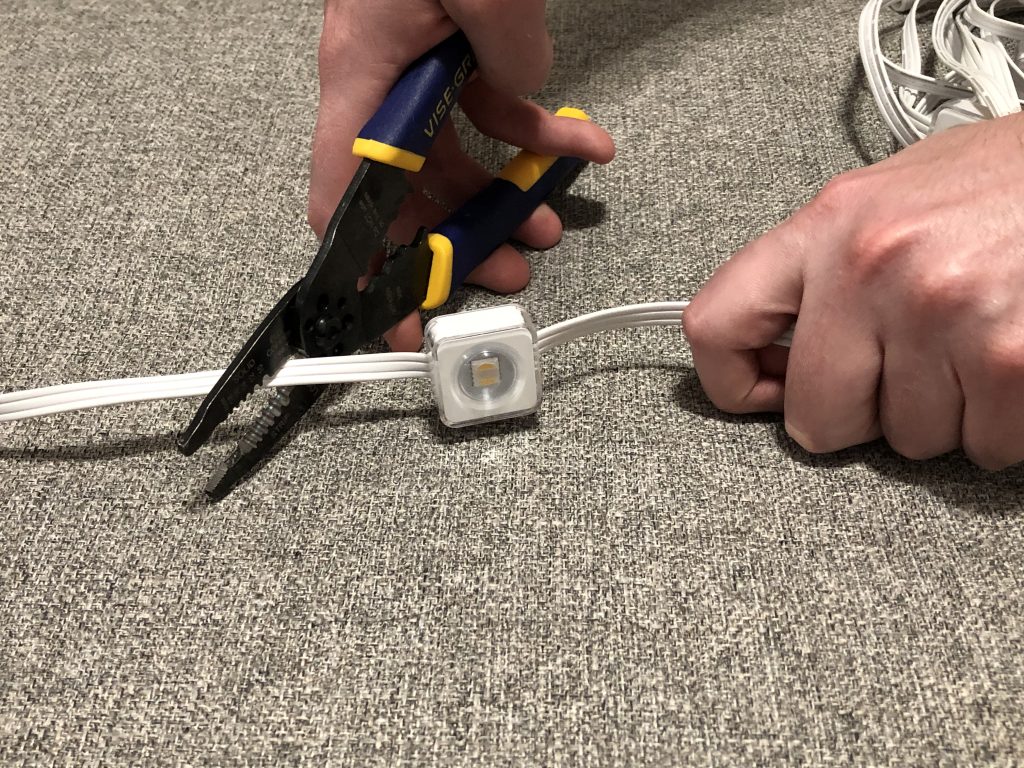
According to real-world testing from users and video walkthroughs, you can safely cut off the unused end section of Govee Permanent Outdoor Lights — including:
- Govee Permanent Outdoor Lights V1 and V2
- Govee Permanent Outdoor Lights Elite
- Govee Permanent Outdoor Lights Pro
Watch: Cutting Off Extra Govee Lights – YouTube
What Happens After You Cut Them?
Here’s where it gets model-specific:
For V1, V2, and Elite Models:
- Lights will still function
- The Govee app still thinks those lights are attached, which may affect dynamic effects
- No way to reset the count or reconfigure in the app
For the Pro Model:
- You can cut the excess lights
- The app lets you reconfigure the number of lights
- This means effects will behave correctly even after trimming
So yes, cutting is possible, and usually fine, but only the Pro model fully supports it at the software level.
How to Safely Cut Off Extra Govee Lights
If you decide to cut off extra lights, follow these best practices:
- Identify the last light you want to keep
- Cut between the node wires — not through a light or component
- Seal the cut end using silicone, heat shrink tubing, or waterproof caps
- Test your lights before you finish cleanup
Important: Always cut with the system unplugged and give yourself enough slack in case of mistakes.
Will It Void the Warranty?
Yes. Govee does not officially support cutting or modifying their lights, so any physical alteration likely voids your warranty.
But plenty of users have done it successfully without issue. As long as you understand the risk, it’s a relatively safe tweak.
Why Not Just Hide the Extra?
If you’re hesitant to cut, that’s totally valid. Here are a few non-invasive options:
- Tuck the extra behind fascia, siding, or trim
- Wrap it back and hide it under eaves or gutters
- Use aluminum track to route slack out of view
How to Mount Govee Lights Cleanly
Shop Aluminum Track for Govee Permanent Outdoor Lights
What about cutting between the lights for extensions?
Yep, you can do that too if you need. Ideally you can use an official Govee light extension or even a 3rd party one, but you can also make your own by splicing wires directly together. For more information, check out our post on how to make Govee light extensions.
Final Thoughts: Cutting Off Extra Govee Lights is Doable, but With Caveats
Cutting off extra Govee lights is one of the simplest ways to clean up your install, provided you do it correctly. If you’re looking for a clean, professional-looking finish and don’t want extra lights hanging awkwardly, cutting off can be the right move. Just know your model, cut carefully, and seal things well.
And if you have the Pro version? You’re golden! The app will walk you through reconfiguring everything.
Want more ways to get your install right the first time? Check out our guide:
Best Track for Govee Permanent Outdoor Lights
If you’re wanting something even more customizable and professional than Govee’s lights, check out ShawTech Lighting’s DIY Permanent Christmas Lights Kits.
FAQs
Can I cut Govee lights in the middle of a strand?
Yes, for supported models you can use Govee’s included or third-party extension cables to create gaps between sections — up to 15 feet. Cutting and rejoining mid-strand can be done without a connector, but is not recommended. More info on that at Govee Light Extensions: 3 Best Ways to Add Gaps with Official or DIY Cables.
What do I use to seal the cut end?
Waterproof silicone or heat shrink tubing works best. You can also use weatherproof end caps.
Will effects still work If I cut off extra govee lights?
Yes, but only the Pro version lets you reset the light count. Other models still behave as if the full set is present. So while cutting off extra Govee lights won’t break them, full app functionality is limited to the Pro version.
Do I need to use Govee’s app again after trimming?
Only with the Pro version. Earlier models do not offer reconfiguration after cutting.
Is cutting covered under warranty?
No. Cutting your Govee lights typically voids the warranty.